


Skip to content
Welcome International Aruba Airport Community!
Login
Question? WhatsApp +297 563 5242
Email: elasten@gmail.com
Master the Art of Learning!Master the Art of Learning!
  • Courses
  • Contact Us
SIGN UP
Master the Art of Learning!Master the Art of Learning!
  • Courses
  • Contact Us
  • Home
  • Course
  • 6. Web Design Accessibility

6. Web Design Accessibility

  • By Dr. Earney Lasten PhD
  • All Accessibility
Breadcrumb Abstract Shape
  • Description
  • Curriculum
  • FAQ
  • Announcement
Emerging-Trends-and-Technologies-in-Web-Accessibility_-Navigating-the-Future-Landscape
Logoviamoon10 (1) logo

SPONSORS: VIAMOON CONSULTANCY & CAREADISE

Where Miracles Happen

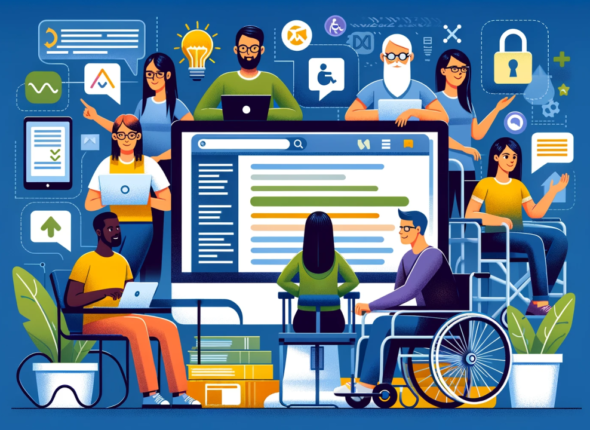
This course provides a comprehensive understanding of web accessibility principles and techniques, empowering you to create inclusive digital experiences for everyone, regardless of ability. You will learn how to design and develop websites, tools, and technologies that are perceivable, operable, understandable, and robust (POUR), contributing to a Web for All.

Course Objectives:

By the end of this course, you will be able to:

  1. Understand Web Accessibility Principles: Explain the core principles of web accessibility (POUR: Perceivable, Operable, Understandable, Robust) and their importance in creating inclusive digital experiences.

  2. Apply Accessibility Standards: Implement web accessibility guidelines and standards, such as WCAG (Web Content Accessibility Guidelines), in web design and development.

  3. Design Accessible Content: Create accessible web content, including text, images, audio, and video, ensuring it is perceivable and understandable by all users.

  4. Develop Accessible Navigation: Design and implement accessible website navigation, making it easy for users with disabilities to navigate and find information.

  5. Build Accessible Forms: Develop accessible web forms that can be easily filled out by users with various assistive technologies.

  6. Utilize Assistive Technologies: Understand how people with disabilities use assistive technologies (e.g., screen readers, keyboard navigation) to access the web.

  7. Test for Accessibility: Evaluate the accessibility of websites and web applications using various testing methods and tools.

  8. Advocate for Web Accessibility: Promote and advocate for web accessibility best practices in web development projects and within organizations.

Expanded Course Content:

  • Introduction to Web Accessibility:
    • The social model of disability and its relevance to web accessibility.
    • The business case for web accessibility (increased market reach, legal compliance, brand reputation).
    • Overview of international web accessibility standards and guidelines (WCAG, ADA).
  • Principles of Web Accessibility (POUR):
    • Perceivable: Providing information and user interface elements that can be perceived by users with different sensory abilities (e.g., alternative text for images, captions for videos, sufficient color contrast).
    • Operable: Ensuring that users can operate the interface regardless of physical abilities (e.g., keyboard navigation, voice input, assistive technology compatibility).
    • Understandable: Making the interface and information understandable to users with diverse cognitive abilities (e.g., clear language, consistent layout, predictable functionality).
    • Robust: Content must be robust enough that it can be interpreted reliably by a wide variety of user agents, including assistive technologies. Source: www.usda.gov, www.usda.gov
  • Accessible Content Creation:
    • Writing clear and concise content.
    • Using headings and subheadings effectively.
    • Providing alternative text for images and other non-text content.
    • Creating accessible tables and lists.
    • Transcribing audio and video content.
  • Accessible Navigation:
    • Designing logical and consistent website structure.
    • Implementing keyboard navigation.
    • Using skip links and ARIA landmarks.
    • Creating accessible menus and navigation elements.
  • Accessible Forms:
    • Using labels and instructions correctly.
    • Providing error messages that are accessible.
    • Ensuring form fields are compatible with assistive technologies.
  • Assistive Technologies:
    • Overview of common assistive technologies (screen readers, magnifiers, voice recognition software).
    • How assistive technologies interact with web content.
    • Testing websites with assistive technologies.
  • Accessibility Testing and Evaluation:
    • Using automated accessibility testing tools.
    • Conducting manual accessibility checks.
    • User testing with people with disabilities.
  • Advocating for Web Accessibility:
    • Communicating the importance of web accessibility to stakeholders.
    • Developing and implementing web accessibility policies.
    • Promoting web accessibility best practices.

(Optional) Assessment:

  • Assignments (e.g., creating accessible web pages, evaluating website accessibility).
  • Quizzes and exams.
  • Final project (e.g., developing an accessible website or web application).


Introduction

What is Web Accessibility

  • 1
    Module based on:
    Read More
      • Raise awareness of how people with disabilities use websites and applications.
      • Introduce core concepts of digital accessibility.
      • Explain related terms such as usability, user experience, and inclusive design.


    Students should be able to:

        • Describe examples of how people with disabilities use the Web.
        • Define web accessibility for people with disabilities.
        • Describe how the Web is used on devices such as mobile phones, smart TVs, watches, and home appliances.
        • Define key terms in web and digital accessibility.


People and Digital Technology

  • 2
    Module based on:
    Read More
    • Explore assistive technologies, adaptive strategies, and accessible design principles in more detail.
    • Study the links between components of web accessibility (web browsers, authoring tools, web designers and developers, accessibility platforms, and operating systems).

    Students should be able to:

    • Recognize the broad diversity of people with disabilities.
    • List different types of assistive technologies and adaptive strategies.
    • Recognize the impact of design decisions on accessibility for people.
    • Explain some of the links between components of web accessibility.

Business Case and Benefits

  • 3
    Module based on:
    Read More
    • Explore the rationale for organizations to address accessibility.
    • Present examples of organizations addressing accessibility.

    Students should be able to:

    • Explain how accessibility can:
      • Extend market reach.
      • Demonstrate social responsibility.
      • Drive innovation.
      • Minimize legal risk.

Principles, Standards, and Checks

  • 4
    Module based on:
    Read More
    • Introduce the accessibility principles: Perceivable, Operable, Understandable, and Robust.
    • Introduce W3C accessibility standards, and their supporting resources.
    • Provide hands-on experience checking how web pages have implemented the standards.

    Students should be able to:

    • Explain the web accessibility concepts Perceivable, Operable, Understandable, and Robust (POUR), and give examples of each.
    • Define the scope of the W3C accessibility standards:
      • Web Content Accessibility Guidelines (WCAG),
      • Authoring Tools Accessibility Guidelines (ATAG),
      • User Agent Accessibility Guidelines (UAAG), and
      • Accessible Rich Internet Applications (WAI-ARIA).
    • Explain how W3C accessibility standards are developed.
    • List examples of WCAG adoption in policies internationally.
    • Check web pages to identify potential accessibility features and barriers and explain how they fit under principle(s) and success criteria.

Getting Started with Accessibility

  • 5
    Module based on:
    Read More
    • Introduce different strategies on how to plan, apply, manage, and sustain accessibility.
    • Introduce roles and responsibilities related to implementing accessibility.

    Students should be able to:

    • Explain different organizational strategies to plan and manage accessibility.
    • Describe how to develop accessibility policies for organizations and statements for products.
    • Describe ways to explore the accessibility environment in organizations.
    • Distinguish different roles and responsibilities for applying accessibility.
    • Explain how to start addressing accessibility in an existing project.
What is web accessibility, and why is it important?
Web accessibility means designing and developing websites, tools, and technologies so that people with disabilities can use them. It's crucial for creating an inclusive digital world where everyone can access information and participate online. It also has business benefits like reaching a wider audience and improving SEO.
Who should take this course?
This course is designed for web designers, developers, content creators, people with disabilities, UX/UI designers, and anyone involved in creating digital content. Anyone who wants to make the web more inclusive will benefit.
What are the prerequisites for this course?
Basic understanding of web design and development concepts is helpful, but no specific technical prerequisites are required. A willingness to learn about accessibility is key.

Important: you have taken previous courses.
What will I learn in this course?
You'll learn how to design and develop accessible websites, create accessible content, use accessibility testing tools, and advocate for inclusive design practices.
How will this course benefit me?
This course will equip you with in-demand skills, enhance your professional profile, and enable you to contribute to a more equitable and accessible digital world.
What materials do I need for this course?
Access to a computer with internet access and a web browser is essential. Specific software or tools will be mentioned by instructor.

The Curriculum may vary by location and/or business entity.

Course Includes:

  • Price:Members Only
  • Instructor:Dr. Earney Lasten PhD
  • Duration:Estimated 1 Hour
  • Lessons:5
  • Certifications:No

Share On:

Courses You May Like

fdfdfdfdfdfdf
Estimated 1 Hour
beginner
1. Introduction to Accessible Health & Wellness Tourism
Members Only
  • 19 Lessons
  • 2 Students
Add to Wishlist
beginner
1. Introduction to Accessible Health & Wellness Tourism
Members Only

There’s a hot new travel niche that focuses on accessibility, health, and...

  • 19 Lessons
  • 2 Students
Enroll Now
disabbb
Estimated 1 Hour
beginner
2. Types of Disabilities / Specific Access Requirements
Members Only
  • 21 Lessons
  • Students
Add to Wishlist
beginner
2. Types of Disabilities / Specific Access Requirements
Members Only

To understand where accessibility issues can arise, it is helpful to have...

  • 21 Lessons
  • Students
Enroll Now
1657836118713
Estimated 1 Hour
beginner
3. Customer Service for All People
Members Only
  • 12 Lessons
  • Students
Add to Wishlist
beginner
3. Customer Service for All People
Members Only

This course examines all aspects of the relations between the tourism operators,...

  • 12 Lessons
  • Students
Enroll Now
kfkgfkfkfd
Estimated 1 Hour
beginner
4. Analyzing & Measuring Destination/Business Accessibility
Members Only
  • 10 Lessons
  • Students
Add to Wishlist
beginner
4. Analyzing & Measuring Destination/Business Accessibility
Members Only

The degree of accessibility significantly influences regional tourism flow and the performance...

  • 10 Lessons
  • Students
Enroll Now
1723295217648
Estimated 1 Hour
beginner
5. Accessibility & Inclusive Design
Members Only
  • 10 Lessons
  • Students
Add to Wishlist
beginner
5. Accessibility & Inclusive Design
Members Only

This course introduces some of the fundamental principles of accessibility and prepares...

  • 10 Lessons
  • Students
Enroll Now
blog_eaa-en-301-549-compliance-standards-1200
Estimated 1 Hour
beginner
7. Inclusion & All Accessibility Expert Roles and Skills
Members Only
  • 10 Lessons
  • Students
Add to Wishlist
beginner
7. Inclusion & All Accessibility Expert Roles and Skills
Members Only

First, there are a number of reasons why inclusion and accessibility are...

  • 10 Lessons
  • Students
Enroll Now
servv
On Udemy
beginner
BONUS: Service Quality Design & Management
Members Only
  • 31 Lessons
  • Students
Add to Wishlist
beginner
BONUS: Service Quality Design & Management
Members Only

This course explores the principles and practices of designing, managing, and delivering...

  • 31 Lessons
  • Students
Enroll Now
blackv2 (1)

You are in Control!

Add: Oranjestad, Aruba
Call: +297 562 4252
Email: elasten@gmail.com

Online Platform

  • About
  • Course
  • Instructor
  • Events
  • Instructor Details
  • Purchase Guide

Links

  • Contact Us
  • Gallery
  • News & Articles
  • FAQ’s
  • Coming Soon

Contacts

Enter your email address to register to our newsletter subscription


Icon-facebook Icon-linkedin2 Icon-instagram Icon-twitter Icon-youtube
Copyright 2026 Connect2Teach.Us | Developed By Prof. Dr. Earney F. Lasten PhD M.A., MSc.. All Rights Reserved
Sign In
The password must have a minimum of 8 characters of numbers and letters, contain at least 1 capital letter
Remember me
Sign In Sign Up
Restore password
Send reset link
Password reset link sent to your email Close
Confirmation link sent Please follow the instructions sent to your email address Close
No account? Sign Up Sign In
Lost Password?

Sign in

Lost your password?

Sign up

Already have an account? Sign in